Panoptic Patty: A Fresh Take on Modern Scandinavian Typography
More Than Just a Green Font
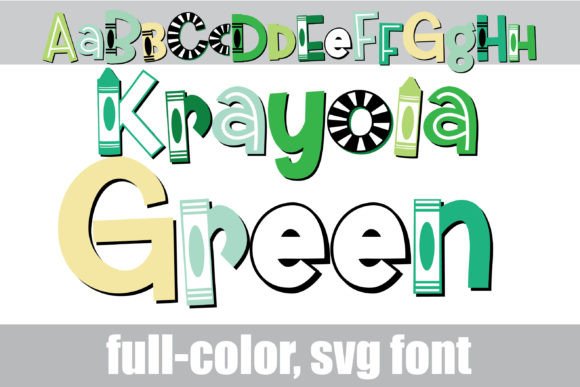
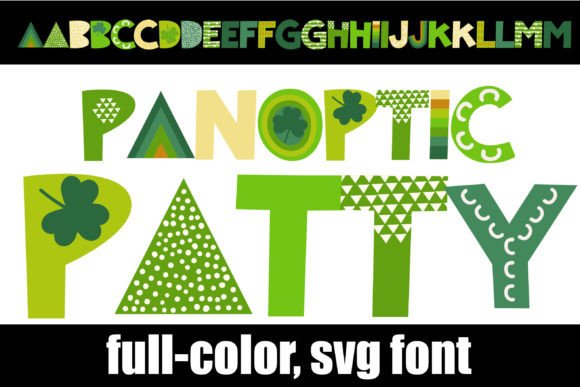
You know the feeling—you’re scrolling through a sea of generic typefaces, and then something stops you cold. Panoptic Patty is that kind of font. It’s a full-color (SVG) typeface built in a clean Scandinavian style, but it doesn’t just sit there looking minimal. It arrives in a rich green color palette that feels fresh, organic, and distinctly modern. Think of it as a sans serif with a pulse. The letterforms are balanced and geometric, with enough character to stand out without overwhelming a layout. It’s the sort of typeface that makes a design feel considered, not just decorated.
What makes Panoptic Patty especially interesting is its alt case feature. Each letter comes in an alternate color version, accessible through your system’s character map or Silhouette’s glyph map. This gives you flexibility to create visual rhythm and emphasis right within the text. You could use the alternate colors for initial caps, highlight key words, or build a playful color pattern in a headline. It’s a small detail that opens up creative possibilities most fonts simply don’t offer.
Where Panoptic Patty Shines
This isn’t a font for every context, and that’s a good thing. Panoptic Patty works best where personality and clarity need to coexist. Consider it for logo design, especially for brands that want to feel approachable yet contemporary—think boutique cafes, sustainable product lines, or creative studios. Its clean geometry and built-in color make it ideal for social media graphics, where grabbing attention quickly is everything. It’s also strong in packaging design, where the color palette can echo product ingredients or brand values. For editorial design, use it sparingly for pull quotes or section headers to inject energy without sacrificing readability.
In digital spaces, Panoptic Patty can elevate a website’s hero section or a newsletter header. Remember, though, that full-color SVG fonts render as black in programs that don’t support them. Always test in your intended environment. Adobe products, Silhouette Studio, and Inkscape handle it well. If you’re working in a platform that only shows black, you’ll still have a solid geometric typeface—just without the color magic. For print, it’s perfect for posters, flyers, or business cards where you want to make a tactile impression. The vector-based nature means it scales beautifully, so you can blow it up for a banner or shrink it for a label without losing crispness.
Practical Guidance for Using This Creative Font
Choosing a font like Panoptic Patty starts with understanding your project’s voice. Is your brand playful, eco-conscious, or minimalist? The green palette leans into natural and modern themes, so it might not suit a corporate finance report, but it could be perfect for a wellness blog or a children’s educational app. Always test the font in context. Type out a headline, then a subhead. See how the colors interact. Try pairing it with a neutral sans serif or a simple serif for body text to maintain hierarchy and readability.
Look at the included styles and alternates. The alt case colors are a design asset in themselves—use them to create subtle variation or bold accents. For commercial projects, check the licensing. Most premium fonts like this allow for broad use, but it’s worth confirming if you’re creating merchandise or digital products for sale. Think about consistency across touchpoints. If you use Panoptic Patty on a website header, carry it into email templates or social media banners to reinforce brand identity. The font’s distinct personality can help with recognition, but overuse might tire the eye. Balance is key.
Ultimately, Panoptic Patty is a tool for adding thoughtful, colorful expression to your work. It’s not about following trends—it’s about using modern typography to connect with your audience in a genuine way. Whether you’re designing a brand mark, crafting a poster, or styling a presentation, it offers a fresh voice that’s both functional and full of character. Experiment, test, and let the font serve the story you’re trying to tell.